










































































Transform your website into a mobile app instantly - use our easy website to Android app converter without writing a single line of code. Simply enter your URL, customize the look, and generate a professional APK file in minutes. Perfect for businesses, bloggers, and entrepreneurs who want to reach more customers through the Google Play Store without investing in expensive app development.


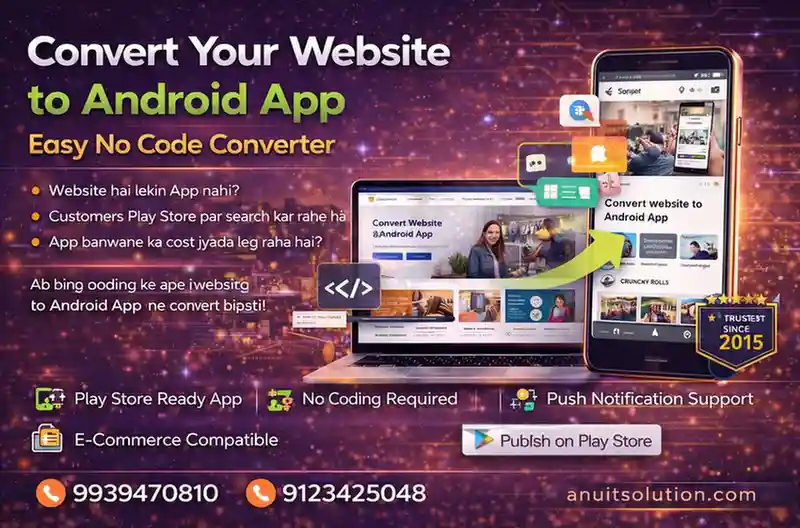
Turn your website into a high-quality Android application without coding. Get started today!
Convert your Website into Professional Android App Using Android Studio.
Activity_Main.xml
<WebView
    android:layout_width="fill_parent"
    android:layout_height="fill_parent"
    android:id="@+id/webView"
    android:layout_alignParentTop="true"
    android:layout_alignParentLeft="true"
    android:layout_alignParentStart="true"
    android:layout_alignParentBottom="true"
    android:layout_alignParentRight="true"
    android:layout_alignParentEnd="true"
    tools:ignore="MissingConstraints" />
MainActivity.java
import android.os.Bundle;
import android.webkit.WebView;
import android.webkit.WebViewClient;

import androidx.appcompat.app.AppCompatActivity;

public class MainActivity extends AppCompatActivity {

    String websiteURL = "https://viskill.in/"; // sets web url
    private WebView webview;

    @Override
    protected void onCreate(Bundle savedInstanceState) {
        super.onCreate(savedInstanceState);
        setContentView(R.layout.activity_main);

        //Webview stuff
        webview = findViewById(R.id.webView);
        webview.getSettings().setJavaScriptEnabled(true);
        webview.getSettings().setDomStorageEnabled(true);
        webview.setOverScrollMode(WebView.OVER_SCROLL_NEVER);
        webview.loadUrl(websiteURL);
        webview.setWebViewClient(new WebViewClientDemo());

    }

    private class WebViewClientDemo extends WebViewClient {
        @Override
        //Keep webview in app when clicking links
        public boolean shouldOverrideUrlLoading(WebView view, String url) {
            view.loadUrl(url);
            return true;
        }
    }

}
AndroidManifest.xml
<uses-permission android:name="android.permission.INTERNET" />AndroidManifest.xml
<uses-permission android:name="android.permission.ACCESS_NETWORK_STATE"/>MainActivity.java
import android.app.AlertDialog;
import android.content.Context;
import android.content.DialogInterface;
import android.net.ConnectivityManager;
import android.net.NetworkInfo;
import android.os.Bundle;
import android.util.Log;
import android.webkit.WebView;
import android.webkit.WebViewClient;

import androidx.appcompat.app.AppCompatActivity;

public class MainActivity extends AppCompatActivity {

    String websiteURL = "https://viskill.in/"; // sets web url
    private WebView webview;

    @Override
    protected void onCreate(Bundle savedInstanceState) {
        super.onCreate(savedInstanceState);
        setContentView(R.layout.activity_main);

        if( ! CheckNetwork.isInternetAvailable(this)) //returns true if internet available
        {
            //if there is no internet do this
            setContentView(R.layout.activity_main);
            //Toast.makeText(this,"No Internet Connection, Chris",Toast.LENGTH_LONG).show();

            new AlertDialog.Builder(this) //alert the person knowing they are about to close
                    .setTitle("No internet connection available")
                    .setMessage("Please Check you're Mobile data or Wifi network.")
                    .setPositiveButton("Ok", new DialogInterface.OnClickListener() {
                        @Override
                        public void onClick(DialogInterface dialog, int which) {
                            finish();
                        }
                    })
                    //.setNegativeButton("No", null)
                    .show();

        }
        else
        {
            //Webview stuff
            webview = findViewById(R.id.webView);
            webview.getSettings().setJavaScriptEnabled(true);
            webview.getSettings().setDomStorageEnabled(true);
            webview.setOverScrollMode(WebView.OVER_SCROLL_NEVER);
            webview.loadUrl(websiteURL);
            webview.setWebViewClient(new WebViewClientDemo());

        }
    }


    private class WebViewClientDemo extends WebViewClient {
        @Override
        //Keep webview in app when clicking links
        public boolean shouldOverrideUrlLoading(WebView view, String url) {
            view.loadUrl(url);
            return true;
        }
    }


}

class CheckNetwork {

    private static final String TAG = CheckNetwork.class.getSimpleName();

    public static boolean isInternetAvailable(Context context)
    {
        NetworkInfo info = (NetworkInfo) ((ConnectivityManager)
                context.getSystemService(Context.CONNECTIVITY_SERVICE)).getActiveNetworkInfo();

        if (info == null)
        {
            Log.d(TAG,"no internet connection");
            return false;
        }
        else
        {
            if(info.isConnected())
            {
                Log.d(TAG," internet connection available...");
                return true;
            }
            else
            {
                Log.d(TAG," internet connection");
                return true;
            }

        }
    }
}MainActivity.java
//set back button functionality
@Override
public void onBackPressed() { //if user presses the back button do this
    if (webview.isFocused() && webview.canGoBack()) { //check if in webview and the user can go back
        webview.goBack(); //go back in webview
    } else { //do this if the webview cannot go back any further

        new AlertDialog.Builder(this) //alert the person knowing they are about to close
                .setTitle("EXIT")
                .setMessage("Are you sure. You want to close this app?")
                .setPositiveButton("Yes", new DialogInterface.OnClickListener() {
                    @Override
                    public void onClick(DialogInterface dialog, int which) {
                        finish();
                    }
                })
                .setNegativeButton("No", null)
                .show();
    }
}activity_main.xml
<androidx.swiperefreshlayout.widget.SwipeRefreshLayout
    android:id="@+id/swipeContainer"
    android:layout_width="match_parent"
    android:layout_height="match_parent">

    <WebView
        android:layout_width="fill_parent"
        android:layout_height="fill_parent"
        android:id="@+id/webView"
        android:layout_alignParentTop="true"
        android:layout_alignParentLeft="true"
        android:layout_alignParentStart="true"
        android:layout_alignParentBottom="true"
        android:layout_alignParentRight="true"
        android:layout_alignParentEnd="true"
        tools:ignore="MissingConstraints" />

</androidx.swiperefreshlayout.widget.SwipeRefreshLayout>
MainActivity.java
SwipeRefreshLayout mySwipeRefreshLayout;//Swipe to refresh functionality
mySwipeRefreshLayout = (SwipeRefreshLayout)this.findViewById(R.id.swipeContainer);
mySwipeRefreshLayout.setOnRefreshListener(
new SwipeRefreshLayout.OnRefreshListener() {
@Override
public void onRefresh() {
webview.reload();
}
}
);private class WebViewClientDemo extends WebViewClient {
@Override
//Keep webview in app when clicking links
public boolean shouldOverrideUrlLoading(WebView view, String url) {
view.loadUrl(url);
return true;
}
@Override
public void onPageFinished(WebView view, String url) {
super.onPageFinished(view, url);
mySwipeRefreshLayout.setRefreshing(false);
}
}AndroidManifest.xml
android:screenOrientation="portrait">SplashActivity.java
  import androidx.appcompat.app.AppCompatActivity;


    import android.content.Intent;

    import android.os.Bundle;

    import android.view.Window;

    import android.view.WindowManager;


    public class SplashActivity extends AppCompatActivity {


        @Override

        protected void onCreate(Bundle savedInstanceState) {

            super.onCreate(savedInstanceState);


            Window window = getWindow() ;


            window.addFlags(WindowManager.LayoutParams.FLAG_FULLSCREEN);

            setContentView(R.layout.activity_splash);


            Thread splashTread = new Thread(){


                @Override

                public void run() {

                    try {

                        sleep(3000);

                        startActivity(new Intent(getApplicationContext(),MainActivity.class));

                        finish();

                    } catch (InterruptedException e) {

                        e.printStackTrace();

                    }


                    super.run();

                }

            };


            splashTread.start();


        }


    }
activity_splash
<?xml version="1.0" encoding="utf-8"?>

    <LinearLayout xmlns:android="http://schemas.android.com/apk/res/android"

        xmlns:app="http://schemas.android.com/apk/res-auto"

        xmlns:tools="http://schemas.android.com/tools"

        android:layout_width="match_parent"

        android:layout_height="match_parent"

        android:orientation="vertical"

        tools:context=".SplashActivity">


        <ImageView

            android:layout_width="match_parent"

            android:layout_height="300dp"

            android:src="@drawable/logo"

            android:scaleType="centerCrop"

            android:padding="50dp"

            android:layout_marginTop="220dp"/>

        <ProgressBar

            android:layout_width="220dp"

            android:layout_height="10dp"

            android:layout_gravity="center_horizontal"

            style="?android:attr/progressBarStyleHorizontal"

            android:max="100"

            android:indeterminate="true"

            android:progress="0"

            android:layout_marginTop="100dp"


            />


    </LinearLayout>
AndroidManifest.xml
 <activity
            android:name=".MainActivity"
            android:exported="false" />
        <activity
            android:name=".SplashActivity"
            android:exported="true"
            android:screenOrientation="portrait">
            <intent-filter>
                <action android:name="android.intent.action.MAIN" />

                <category android:name="android.intent.category.LAUNCHER" />
            </intent-filter>
</activity>MainActivity.Java
if(Build.VERSION.SDK_INT>= Build.VERSION_CODES.M){
            if(checkSelfPermission(Manifest.permission.WRITE_EXTERNAL_STORAGE) == PackageManager.PERMISSION_DENIED){

                Log.d("permission","permission denied to WRITE_EXTERNAL_STORAGE - requesting it");
                String[] permissions = {Manifest.permission.WRITE_EXTERNAL_STORAGE};
                requestPermissions(permissions,1);
            }


        }

//handle downloading

webview.setDownloadListener(new DownloadListener() {
            @Override
            public void onDownloadStart(String url, String userAgent, String contentDisposition, String mimeType, long contentLength) {

                DownloadManager.Request request = new DownloadManager.Request(Uri.parse(url));
                request.setMimeType(mimeType);
                String cookies = CookieManager.getInstance().getCookie(url);
                request.addRequestHeader("cookie",cookies);
                request.addRequestHeader("User-Agent",userAgent);
                request.setDescription("Downloading file....");
                request.setTitle(URLUtil.guessFileName(url,contentDisposition,mimeType));
                request.allowScanningByMediaScanner();
                request.setNotificationVisibility(DownloadManager.Request.VISIBILITY_VISIBLE_NOTIFY_COMPLETED);
                request.setDestinationInExternalPublicDir(Environment.DIRECTORY_DOWNLOADS,URLUtil.guessFileName(url, contentDisposition, mimeType));
                DownloadManager dm = (DownloadManager) getSystemService(DOWNLOAD_SERVICE);
                dm.enqueue(request);
                Toast.makeText(getApplicationContext(),"Downloading File",Toast.LENGTH_SHORT).show();


            }
        });
AndroidMainfest.xml
<uses-permission android:name="android.permission.WRITE_EXTERNAL_STORAGE"/>A professional website builds trust, improves online visibility, and converts visitors into customers. Our responsive and SEO-friendly websites ensure a strong digital presence for businesses and NGOs.
Custom software solutions automate operations, improve efficiency, and support long-term scalability with secure, reliable, and performance-focused development.
Mobile applications help businesses reach users instantly. We develop fast, user-friendly Android and iOS apps with modern UI/UX and robust backend architecture.
Our summer internship program provides hands-on industry exposure, live project training, and certification to help students gain real-world IT experience.
Winter internships focus on skill enhancement through guided mentorship, project-based learning, and career-oriented training for students and freshers.
Search Engine Optimization improves Google rankings, organic traffic, and online credibility, helping businesses generate high-quality leads consistently.
Digital marketing strengthens brand awareness through social media, Google Ads, and content marketing, delivering measurable growth and ROI.
An e-commerce website allows businesses to sell online 24/7 with secure payment gateways, product management, and scalable architecture.
Website Design & Software Development Company in Patna helping businesses, startups, educational institutions, healthcare organizations and professionals establish a strong digital presence. We design responsive websites, develop custom software solutions, create business management systems and deliver technology-driven services tailored to specific business requirements. Our focus is on quality, performance, user experience and long-term business growth through innovative web and software solutions.

We design visually appealing, user-centric interfaces that strengthen brand identity and deliver an engaging user experience across all devices.

Our developers work with HTML, CSS, JavaScript, PHP, Python, Java, React, Laravel, MySQL and modern frameworks to build secure, scalable solutions.

Every website is built with SEO best practices — fast loading, mobile responsiveness, clean code, and structured content to rank better on Google.

We provide ongoing technical support, updates, security monitoring, and performance optimization to keep your digital assets future-ready.

We deliver premium-quality services at affordable pricing — ideal for startups, NGOs, small businesses, and growing enterprises.

With structured workflows and clear communication, we ensure on-time project delivery without compromising quality or performance.
Our ANU IT SOLUTION expert developers work with the most in-demand programming languages, frameworks, and platforms to build scalable websites, enterprise software, mobile applications, and high-performance digital products.

Semantic web structure

Modern UI styling

Interactive features

SPA & frontend apps

Utility-first UI

Mobile-first layouts

Backend development

Secure MVC apps

Automation & AI

Enterprise systems

Scalable APIs

Relational database

NoSQL database

System integration

Cloud deployment

Containerization

CMS & business sites

Online selling



Year In Business

Professional Team

Clients
National + International

Our Success Rate